Olli Brand Guidelines
The complete guide to Olli's visual identity and brand standards. Follow these guidelines to ensure consistency across every touchpoint.
Download PDFBrand Overview
Who We Are
Olli is the insurance platform built exclusively for solo entrepreneurs - freelancers, contractors, creators, and independent workers running businesses of one. We guide people to the right coverage, explain it in plain English, and stay with them as their business grows.
We're not a comparison site. We're not a direct carrier. We're the expert in your corner - the one who tells you what you actually need, handles the complexity, and makes sure you're never left figuring it out alone.
Our Mission
Make insurance easy and seamless. We believe protecting what you've built shouldn't be complicated. That's why we built a platform that makes it effortless for anyone to embed, buy, offer, and manage insurance.
Brand Personality
Olli is the trusted friend who happens to be an expert. Warm but direct. Clear without being simple. Confident without being arrogant. We take insurance seriously so our customers don't have to.
Brand Archetype: The Guide
A Guide knows the way and walks with you. They don't hand you a map and leave. They tell you which path to take, explain why, and stay with you when things change.
We don't show you 15 insurance options and wish you luck. We tell you what you need, why you need it, and handle everything from there.
The One Test
Does this sound like a trusted guide talking to a real person? Or does it sound like a comparison website? If it's the latter, rewrite it.
Our Values
We build what works
We pioneer technology that simplifies insurance - delivering real-time solutions without complexity or confusion.
We empower the bold
We back the people who take initiative, with transparent, tailored insurance that gives them the confidence to move faster.
We do business in the open
We operate with complete transparency and build trust through honest practices and real accountability.
We build bridges, not walls
We foster partnerships with carriers and tech leaders who share our vision, creating seamless experiences.
We do the hard work so you don't have to
Insurance is genuinely complex. We make sure that complexity lives on our side, not yours.
We champion the dreamers who do
We build for and with people who didn't just imagine something better - they went and built it.
Brand Name Rules
How to Write "Olli"
Name Usage
Display Name
Olli
Domain
olli.insure
First Reference
"Olli (olli.insure)" - include the domain on first mention in formal docs
Subsequent References
"Olli" - no need to repeat the domain
In a Sentence
Treat as a proper noun. "Olli makes insurance simple." Never "the Olli" or "an Olli."
Tagline & Slogans
Primary Tagline
"Insurance made easy."
Use this as the primary tagline across all major touchpoints - website hero, social bios, email headers, and print materials.
Audience-Specific Offers
Olli serves two audiences. Each has one offer. Never mix them up. Never deviate from them.
DTC - Solo Entrepreneurs
"Olli makes insurance easy to understand, easy to buy, and easy to manage."
B2B2C - Platform Partners
"Olli makes it easy to embed, offer, and manage insurance."
Every piece of communication should ladder up to one - or all three - parts of the relevant offer. If it doesn't, cut it or rewrite it.
Tagline Rules
Do
- Use the primary tagline on hero sections and key landing pages
- Pair taglines with the logo, separated by clear space
- Use sentence case and include the period
Don't
- Don't modify tagline wording
- Don't create new taglines without brand approval
- Don't use multiple taglines on the same page
Logo
The Olli logo is our most important brand asset. The magenta dot on the "i" is the signature element that makes our mark distinctive. Always use provided logo files - never recreate the logo.
Primary Logo

Black text, magenta dot. Use on white or light backgrounds.
Logo on Dark Background

White text, magenta dot. Use on dark backgrounds.
All White

Single-color on dark backgrounds
All Black

Single-color, print, fax, embossing
Round (Dark)

Social profiles, avatars
Round (Light)
Light theme social profiles, watermarks
Favicon

Browser tabs, bookmarks
Icon (Main)

Small contexts, loading
Icon (Black)

Monochrome contexts
Icon (White)

White on dark backgrounds
Minimum Size
Minimum: 24px
Digital
Recommended: 40px
Headers/Navigation
Large: 64px
Hero/Print
Clear Space
Maintain a minimum clear space around the logo equal to the height of the "O" in Olli. This ensures the logo remains prominent and uncluttered.
The dashed line represents the minimum clear space zone.
Logo Don'ts
Don't stretch or distort
Don't rotate the logo
Don't reduce opacity
Don't place on busy backgrounds
Don't add shadows or effects
Insurance Co.Don't add text next to logo
Hosted Logo URLs
Always-current logos. Use these hosted URLs in your websites, apps, and partner integrations. When we update logos, these URLs automatically serve the latest version - so your brand stays up to date.
Primary Logo
Main logo for light backgrounds
https://olli.insure/olli-logo.pngLogo on Dark (with magenta dot)
White text + magenta dot for dark backgrounds
https://olli.insure/olli-logo-white-purple.pngAll White Logo
Monochrome white for dark backgrounds
https://olli.insure/olli-logo-white.pngAll Black Logo
Monochrome black for print/light backgrounds
https://olli.insure/olli-logo-black.pngRound Badge (Dark)
Circular badge for social/avatars
https://olli.insure/olli-round-black.pngRound Badge (Light)
Circular badge, light variant
https://olli.insure/olli-round-white.pngFavicon
Browser favicon
https://olli.insure/olli-favicon.pngIcon (Main)
The i with magenta dot
https://olli.insure/olli-i.pngIcon (Black)
Monochrome i icon
https://olli.insure/olli-i-black.pngIcon (White)
White i icon for dark backgrounds
https://olli.insure/olli-i-white.pngUsage Note
These URLs are intended for partner websites, co-marketing materials, and integrations. Hotlinking to these URLs means you always display the latest approved version of our logos. For offline or print use, download the files instead.
HTML Embed Code
<img src="https://olli.insure/olli-logo.png" alt="Olli" height="40" />Copy and paste this into your HTML to embed the Olli logo with a link to the always-current hosted version.
Logo Placement Rules
When to Use Which Logo
| Context | Logo Variant | Notes |
|---|---|---|
| Website header | Primary (main) | 40px height, left-aligned |
| Website footer | Primary (main) | 32px height, with copyright text |
| Dark hero sections | White logo | Always use the white variant on dark backgrounds |
| Mobile app icon | Round (dark) | 1024x1024px source, round badge format |
| Browser favicon | Favicon (i) | 32x32px and 16x16px, the magenta i |
| Social media profile | Round (dark or light) | Match the platform background |
| Email signature | Primary (main) | 120px wide, linked to olli.insure |
| Print (1 color) | All black | Use when only 1 ink color available |
| Loading/splash | Icon (main i) | Can animate the dot appearing |
| Watermark | All black at 10% opacity | For document watermarks only |
Co-Branding Rules
Allowed
- Olli logo next to partner logos at equal size
- Separated by a vertical divider line
- Maintaining clear space for both logos
- "Powered by Olli" badge for white-label
Not Allowed
- Olli logo smaller than partner logos
- Combining logos into a single mark
- Partner logo colors bleeding into Olli logo
- Olli logo inside another container or shape
Color Palette
Primary Palette
Black
Primary brand color, text, headings
HEX: #050505
RGB: 5, 5, 5
White
Backgrounds, light logo, cards
HEX: #FFFFFF
RGB: 255, 255, 255
Olli Purple (Vivid Orchid)
Primary button, highlights, all eye-driven action points
HEX: #CC33CC
RGB: 204, 51, 204
HSL: 300°, 60%, 50%
Secondary Palette
Grey Olive
Secondary text, captions
#949291
rgb(148, 146, 145)
Toner Gray T4
Borders, dividers, disabled states
#C5C3C0
rgb(197, 195, 192)
Toner Gray T0
Backgrounds, cards, surfaces
#F0F0F0
rgb(240, 240, 240)
Dark Goldenrod
Accent when too many #CC33CC are in use
#A57C00
rgb(165, 124, 0)
Color Philosophy
Olli is a very minimalistic color environment. The lesser the better.
Olli Vivid Orchid #CC33CC is our primary button and highlight for ALL uses to highlight the important and eye-driven action points. Everything else is in white and grey.
Dark Goldenrod #A57C00 is ONLY used when too many #CC33CC are in use.
Color Usage Guidelines
Do
- Use Vivid Orchid for primary CTAs and accent elements
- Use Black (#050505) for headings and body text
- Use Grey Olive and Toner grays for secondary text and borders
- Keep it minimal - white and grey with Vivid Orchid accents
- Use Dark Goldenrod sparingly as an overflow accent only
Don't
- Don't use Vivid Orchid for body text or large blocks
- Don't use off-brand colors (no reds, blues, greens)
- Don't use gradients on the Vivid Orchid
- Don't use Dark Goldenrod as a primary color
- Don't use #000000 - our black is #050505
Color Accessibility
All color combinations must meet WCAG 2.1 AA standards at minimum. Here are approved pairings:
Caution
- Magenta on gray backgrounds may fail contrast - always test
- Never use gray text (#D1D5DB or lighter) for essential information
- Interactive elements must have visible focus indicators
- Don't rely on color alone to convey meaning - use icons or text labels too
Typography
Primary Font: Inter
Inter is our primary typeface across all digital platforms. It provides excellent readability at all sizes and has a modern, professional feel that aligns with our brand.
Inter Bold - Headings
Inter Semibold - Subheadings
Inter Medium - Card titles
Inter Regular - Body text
ABCDEFGHIJKLMNOPQRSTUVWXYZ
abcdefghijklmnopqrstuvwxyz
0123456789 !@#$%^&*()
Type Scale
Line Heights & Spacing
Headings
Line height: 1.2 - 1.3
Letter spacing: -0.02em
Body Text
Line height: 1.5 - 1.6
Letter spacing: 0
Buttons/Labels
Line height: 1.25
Letter spacing: 0.01em
Typography Rules
Hierarchy Rules
1. One H1 per page
Every page should have exactly one hero headline.
2. Don't skip heading levels
Go H1 → H2 → H3 in order. Never skip from H1 to H3.
3. Max 75 characters per line
Body text should not exceed 75 characters per line for readability.
4. Left-align body text
Avoid justified or centered text for paragraphs. Center only headings when appropriate.
Formatting Rules
Sentence case for headings
Write "Get your quote today" not "Get Your Quote Today".
No ALL CAPS in body text
Only use caps for short labels, badges, or buttons if needed.
Bold for emphasis, not italic
Use font-weight to emphasize. Avoid italics except for legal text or quotes.
No underlines except links
Underlines are reserved for hyperlinks only.
Fallback Fonts
If Inter is unavailable, use this stack: Inter, -apple-system, BlinkMacSystemFont, 'Segoe UI', Roboto, sans-serif. Never substitute with serif fonts, decorative fonts, or Comic Sans.
Voice & Tone
Our Voice
Olli sounds like the smartest friend you have who happens to know everything about insurance. They don't lecture. They don't overwhelm. They just tell you what you need to know, clearly, and help you move forward.
Four Rules
1. Say it plainly
If a 10th grader wouldn't understand it, rewrite it. No jargon. If you have to use an insurance term, explain it in the next sentence.
✗ Secure a BOP with E&O endorsement for comprehensive liability coverage.
✓ You need two things: general liability and professional liability. Here's what each one covers.
2. Take a position
Don't hedge when a real answer exists. Olli gives recommendations and stands behind them.
✗ You may want to consider general liability depending on your situation.
✓ You need general liability. Here's why.
3. Stay present
The relationship doesn't end at purchase. The tone should always feel like someone who will still be there at renewal, when a client asks for a certificate, or when something goes wrong.
✗ Your policy documents have been emailed to you.
✓ You're covered. We'll remind you before your renewal and we're here if anything comes up.
4. Keep it short
If you can say it in one sentence, don't use three. Respect people's time.
✗ We wanted to reach out to let you know that your policy is coming up for renewal and that we'd love to help you review your current coverage.
✓ Your renewal is coming up. Want us to review your coverage first?
Words Olli Uses
- Guide, recommend, protect
- Clear, simple, easy
- We handle it / we've got you
- Here's why
Words Olli Never Uses
- Compare / comparison - we're not a marketplace
- Comprehensive - vague and meaningless
- Solutions, leverage, utilize - corporate filler
- Any insurance jargon without an immediate plain-English explanation
Writing Examples
Don't write
"Access comprehensive multi-carrier coverage solutions tailored to your business profile."
Write this
"Tell us about your work. We'll tell you exactly what coverage you need and why."
Don't write
"We wanted to reach out to let you know that your policy is coming up for renewal."
Write this
"Your renewal is coming up. Want us to review your coverage first?"
Don't write
"Our API-first embedded insurance infrastructure enables seamless integration."
Write this
"Drop in our widget. Your users get covered. You earn revenue on every policy."
Don't write
"Our comprehensive coverage solutions protect your assets."
Write this
"We've got your back - your home, your stuff, your peace of mind."
Tone by Context
Marketing / Landing pages
Confident, bold, inspiring
"Insurance that actually makes sense."
Onboarding / Help
Friendly, patient, encouraging
"Let's get you set up - it only takes 2 minutes."
Error messages
Calm, helpful, solution-focused
"Something went wrong. Try again, or contact us for help."
Claims / Support
Empathetic, reassuring, clear
"We're sorry this happened. Let's get things sorted for you."
Tone by Channel
Our voice stays consistent, but the tone adapts to the context and audience.
DTC First Touch
Warmer, more conversational. Acknowledge the confusion they've likely experienced.
"Figuring out business insurance on your own is genuinely confusing. We'll make it simple."
DTC Post-Purchase
Reassuring and forward-looking. You made the right call. Here's what happens next.
"You're covered. We'll handle your renewal and we're here if anything changes."
B2B2C Outreach
Confident and commercially direct. Lead with revenue and ease. Business case first.
"Your users need insurance. We make it easy to offer - and you earn revenue every time they get covered."
B2B2C Technical
Precise and efficient. Guide them through implementation, not messaging.
"Drop in the widget. It works out of the box. Average setup time is under two weeks."
Claims / Sensitive
Calm, steady, unhurried. Every word should signal: we've got this, we're still here.
"We've got your claim. Here's exactly what happens next and who to call if you need us."
Social / Content
More personality. The Guide can be warm - expertise doesn't require formality.
"Nobody starts a business thinking about insurance. That's exactly why we're here."
Guardrails
If it feels like any of these, rewrite it:
A comparison marketplace - we recommend, we don't compare
A direct carrier pushing its own product
A one-time transaction that ends at purchase
A generic SMB platform built for companies with HR teams
Cards & Containers
Default Card
Card Title
Cards have a subtle hover effect with border color change.
Selected/Active Card
Selected Card
Active cards have a magenta border and shadow glow.
Card Specifications
Border Radius: 12px (rounded-xl)
Border: 2px solid #E5E7EB
Padding: 24px
Hover Border: 2px solid #CC33CC
Selected Shadow: 0 0 20px rgba(204, 51, 204, 0.3)
Transition: all 0.3s ease
Form Elements
Input Fields
This field is required
Other Form Elements
Form Specifications
Border Radius: 8px (rounded-lg)
Border: 1px solid #D1D5DB
Padding: 12px 16px
Focus Border: 2px solid #CC33CC
Focus Ring: 0 0 0 3px rgba(204, 51, 204, 0.1)
Error Color: #EF4444
Spacing System
We use a consistent 4px base unit. All spacing should be multiples of 4.
4px
p-1
8px
p-2
12px
p-3
16px
p-4
24px
p-6
32px
p-8
48px
p-12
64px
p-16
Common Usage
Component padding: 16px - 24px
Section padding: 48px - 80px
Grid gap: 16px - 32px
Container max-width: 1280px (max-w-7xl)
Form max-width: 768px (max-w-3xl)
Content max-width: 1024px (max-w-6xl)
Data Visualization
Charts, graphs, and data displays should feel clean and on-brand. Use these rules when building dashboards, reports, or policy summaries.
Chart Color Palette
Primary data
#CC33CC
Secondary data
#050505
Tertiary/overflow accent
#A57C00
Background/fill
#F0F0F0
Neutral/comparison
#949291
Inactive/baseline
#C5C3C0
Rules
Labels
Inter 12px Regular, gray-500. Left or bottom aligned.
Gridlines
Gray-200 (#E5E7EB), 1px, dashed. Never solid black.
Tooltips
White background, subtle shadow, 8px border-radius.
Corner Radius
Bar charts: 4px top corners. Pie charts: not rounded.
Accessibility
Always include text labels - never rely on color alone.
Loading States
Skeleton Screens
Preferred for content-heavy pages. Use gray-300 with pulse animation.
Spinner
Use for short operations (under 3 seconds). Olli Magenta accent.
Progress Bar
Uploading documents...
65% complete
Use for multi-step or long-running processes.
Loading Rules
- Always show feedback within 100ms of user action
- Use skeleton screens for page loads, spinners for inline actions
- Add descriptive text for operations longer than 3 seconds
- Never block the entire UI - allow users to navigate away
Error & Empty States
Error State
Something went wrong
We couldn't load your policy details. This is usually temporary.
Empty State
No policies yet
You haven't added any insurance policies. Let's get you covered.
State Design Rules
- Always provide a clear next action (button or link)
- Use empathetic, blame-free language in errors
- Include an icon to quickly convey the state visually
- Empty states should encourage - not just inform
- Never show raw error codes or stack traces to users
Responsive Design
Breakpoints
| Name | Width | Tailwind | Columns |
|---|---|---|---|
| Mobile | 0 - 639px | default | 1 |
| Tablet | 640 - 767px | sm: | 1-2 |
| Tablet Landscape | 768 - 1023px | md: | 2-3 |
| Desktop | 1024 - 1279px | lg: | 3-4 |
| Wide Desktop | 1280px+ | xl: | 4+ |
Mobile Adaptations
- Logo reduces to 32px height in mobile header
- Navigation collapses to hamburger menu
- Buttons become full-width on mobile
- Grid layouts stack to single column
- Touch targets minimum 44x44px
- Font sizes never below 14px on mobile
Don'ts
- Don't hide critical content on mobile
- Don't use hover-only interactions on touch
- Don't use horizontal scrolling for content
- Don't serve different content per device
- Don't disable pinch-to-zoom
Imagery & Photography
Photography Style
- Natural, candid shots of real people
- Bright, well-lit with warm tones
- Diverse representation (age, ethnicity, family types)
- Show homes, families, peace of mind
- Clean, modern environments
Avoid
- Cheesy stock photos with fake smiles
- Dark, gloomy, or fear-based imagery
- Overly staged or corporate settings
- Damaged property or disaster images
- Heavily filtered or overly saturated photos
Illustration Style
Style
Flat, minimalist vector illustrations with clean lines. No 3D renders or complex gradients.
Colors
Use the Olli palette only - black, magenta, white, grays, and lavender.
Corner Radius
Match the brand roundness: rounded corners on shapes, pill-shaped elements where applicable.
QR Code Styling
Olli Website QR Code
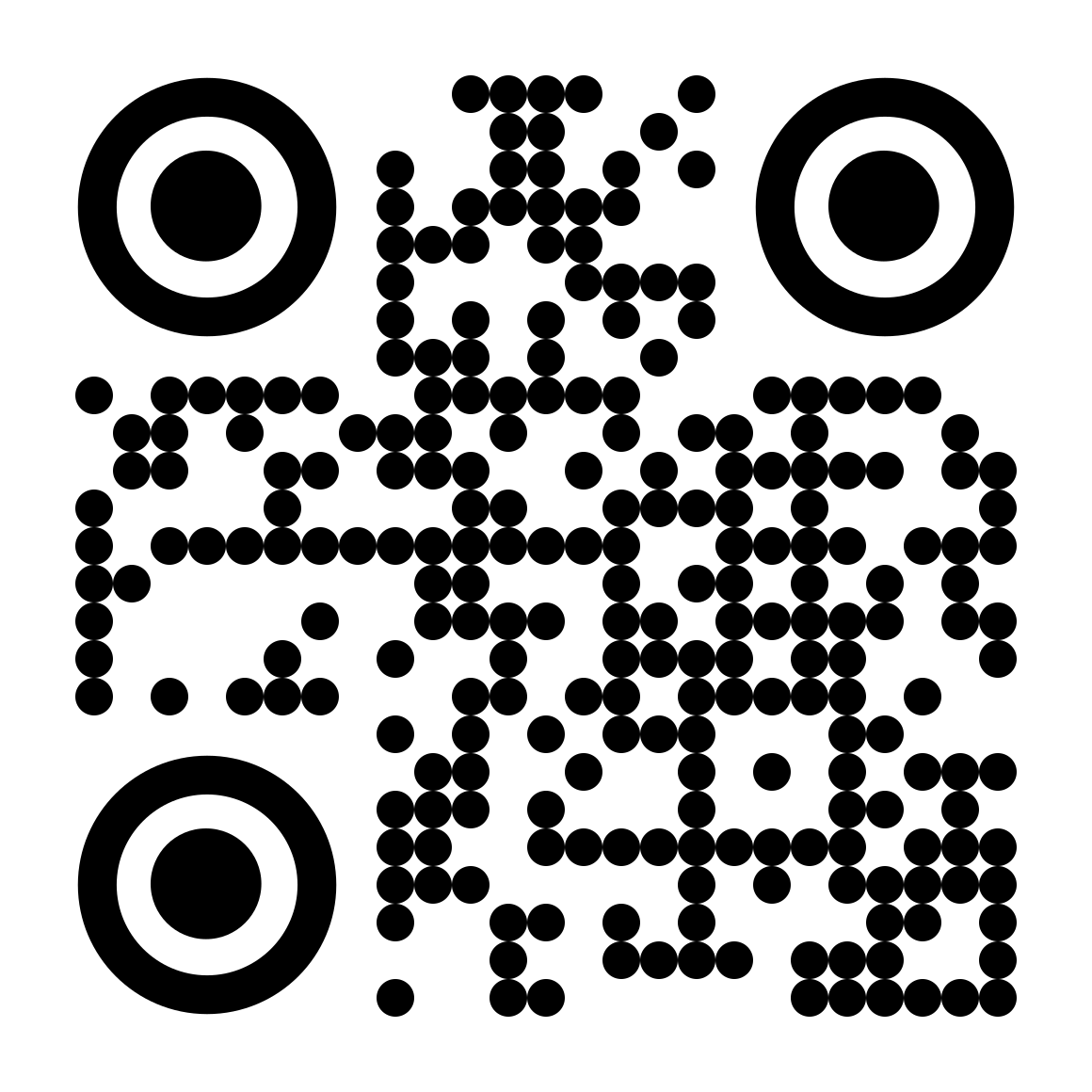
Scans to: https://olli.insure
Use this code on print materials, business cards, event signage, and partner collateral.
Download QR CodeBranded QR Codes
Foreground Color
Olli Black (#050505) - ensures maximum scan reliability
Background Color
White (#FFFFFF) - always use high contrast
Center Logo
Place the Olli "i" icon (with magenta dot) in the center at 20% of QR size
Corner Markers
May use rounded corners on corner markers for a softer look
Minimum Size
2cm x 2cm for print, 150x150px for digital
QR Code Don'ts
- Don't use Magenta as the QR foreground (reduces scan reliability)
- Don't place QR codes on colored or image backgrounds
- Don't make the center logo larger than 25% of the QR
- Don't skip error correction (use at least "M" level)
- Don't forget to add a label below: "Scan to learn more"
Email & Communications
New - Templates Subpage
Communication Templates: HTML email, plain text, and SMS
Copy-paste-ready templates for DTC, B2B2C partners, B2B2C end users, and automated system messages. Apple-style light headers, full footers, opt-out links.
Email Signature
FIRST LAST
Title / Role
500 W 2nd St, Suite 1900, Austin, TX 78701
Email Template Rules
Max width: 600px
All marketing emails should be 600px wide max
Logo in header
Primary logo, centered or left-aligned, 120px wide
One primary CTA button
Magenta pill button, centered, clear action text
Footer with legal
Unsubscribe link, company address, social links
Presentation Templates
Slide Rules
Title Slides
Black background, white text, Olli logo top-left, magenta accent line
Content Slides
White background, black text, logo in footer (small, bottom-left)
Section Dividers
Magenta background, white text, centered section title
End Slide
Black background, large logo centered, olli.insure below
Formatting
Aspect Ratio
16:9 widescreen (standard)
Headings
Inter Bold, 28-36px, black or white
Body Text
Inter Regular, 18-22px, max 6 bullet points per slide
Margins
Minimum 40px from all edges
Key Rules
- Max 6 lines of text per slide - keep it visual
- One idea per slide
- Use Olli brand colors only - no PowerPoint default colors
- Include slide numbers on content slides (bottom-right)
Print Materials
Business Card
First Last
Job Title
olli.insure
3.5" x 2", 300 DPI, bleed 0.125"
Letterhead
olli.insure
hello@olli.insure
olli.insure | Insurance that makes sense.
8.5" x 11", logo top-left, magenta footer line
Envelope
Olli Insurance
olli.insure
#10 envelope, logo top-left with return address
Print Specifications
Color Mode: CMYK for print, RGB for digital
Resolution: 300 DPI minimum for print
Paper Stock: Matte or soft-touch recommended
Magenta CMYK: C0 M75 Y0 K20
Black CMYK: C0 M0 Y0 K100
Bleed: 0.125" on all sides
Icons
Icon Library: Lucide React
We use Lucide React for all UI icons. They should be simple, clear, and support the content.
Icon Specifications
Small: 16px (w-4 h-4) - inline, labels
Default: 24px (w-6 h-6) - buttons, lists
Large: 32px (w-8 h-8) - feature cards
Stroke width: 2px (default)
Color: Inherit from parent or use gray-700
Accent icons: Use #CC33CC for highlighted icons
Motion & Animation
Timing & Easing
Quick interactions
150ms - 200ms, ease-out
Hovers, toggles, focus states
Standard transitions
250ms - 350ms, ease-in-out
Page transitions, modals, drawers
Elaborate animations
400ms - 600ms, cubic-bezier
Hero reveals, onboarding steps, celebrations
Animation Rules
Animations should feel natural and purposeful
Use subtle scale/translate - avoid rotate and bounce
Respect prefers-reduced-motion for accessibility
No auto-playing animations that loop forever
No flashy or distracting entrance animations
No animations that block user interaction
Is It On-Brand? Run This Checklist.
Before publishing or approving any piece of communication, run through these five questions. If it passes all five, it's on-brand. If it fails any one of them, it needs work.
Does it serve one audience clearly?
DTC or B2B2C - not both. If you can't tell who it's written for in the first sentence, rewrite it.
Does it ladder up to the offer?
DTC: does it make insurance easier to understand, buy, or manage? B2B2C: does it make insurance easier to embed, offer, or manage? If it doesn't connect to the offer, cut it.
Does it sound like a guide or a marketplace?
A guide takes a position and walks with you. A marketplace presents options and steps back. If it sounds like the latter, rewrite it.
Could a 10th grader understand it?
If there's jargon without an immediate plain-English explanation, fix it.
Does it make insurance feel easier, or does it make Olli feel impressive?
If the answer is impressive, cut it or rewrite it. The Guide serves the person in front of them - they don't perform their expertise.
The One Rule
Does this make insurance feel easier, or does it make Olli feel impressive? If the answer is easier - publish it. If the answer is impressive - cut it or rewrite it.
Master Don'ts List
A comprehensive list of things to always avoid when representing the Olli brand.
Never modify, redraw, or recreate the Olli logo
Never change the magenta dot to another color
Never use colors outside the Olli palette
Never use serif fonts, script fonts, or decorative typefaces
Never use ALL CAPS for body text or paragraphs
Never use drop shadows on the logo
Never place the logo on busy or low-contrast backgrounds
Never stretch, skew, rotate, or distort the logo
Never reduce logo opacity below 100%
Never add outlines, borders, or glows to the logo
Never use the logo smaller than the minimum size (24px)
Never combine Olli logo elements with other logos
Never use fear-based or negative messaging
Never use jargon or industry terms without explanation
Never make promises about coverage without legal sign-off
Never use stock photos that look staged or generic
Never animate the logo (except the dot reveal in loading screens)
Never use gradients as backgrounds for the logo
Social Media Guidelines
Profile Setup
Instagram / TikTok
Avatar: Round (dark)
Handle: @olli.insure
Bio: "Insurance that makes sense."
LinkedIn
Avatar: Round (dark)
Handle: Olli
Bio: "Modern insurance for modern life."
X / Twitter
Avatar: Round (dark)
Handle: @olliinsure
Bio: "Simple insurance. That's it."
Post Design Rules
Do
Don't